A Practical Guide to Multi-Channel Support for Customer Support Teams
Your customers message you on WhatsApp, then Instagram, then email, and someone loses track of the thread. Every unanswered DM is a sale or a complaint that quietly moves to a competitor. Support teams now juggle four inboxes where one used to do. Anyone weighing the market should also review Whatsapp Business API.
This guide shows you how to design a channel strategy before adding tools, staff a unified queue with clear routing and SLAs, and place automation where it helps agents rather than replaces them. You will also learn which metrics to track per channel, how to avoid channel sprawl and data silos, and what to weigh when choosing a platform like Com.bot to scale.
Why Multi-Channel Support Is Now Table Stakes for Support Teams
Customer expectations have shifted: consumers now expect consistent interaction across channels, and support teams that fail to meet this standard risk losing them to competitors who do. That shift is not a passing trend. It reflects a permanent change in how people communicate with the businesses they buy from.
Customers no longer tolerate being forced into a single contact method. Someone who messages a brand on social media does not want to be told to call a phone line instead. They expect to reach out through their preferred channel and receive the same quality of service regardless of where the conversation starts.
The business case for multi-channel support is straightforward. Teams that meet customers where they already are tend to see stronger retention, higher CSAT scores, and smoother operations. Agents who can resolve issues in one conversation avoid the back-and-forth that frustrates both sides.
Single-channel support carries real risk. When conversations are scattered across disconnected tools, context gets lost, first response time stretches, and customers repeat themselves to every new agent they reach. That friction adds up.
- Lost context: A customer explains an issue on chat, then starts over on email because the two systems do not share history.
- Longer resolution times: Agents chase information across platforms instead of resolving the issue.
- Fragmented reporting: Without channel integration, teams cannot see where problems actually originate.
An omnichannel strategy solves this by connecting channels through a unified inbox and shared customer records. A ticketing system with CRM integration keeps every interaction tied to one profile, so an agent picking up a conversation already knows what happened before.
This matters for more than customer satisfaction. Agent productivity improves when people are not constantly switching between tools, and workload balancing becomes possible when queues are visible in one place. The sections that follow break down which channels deserve priority and how to support each one well.
The Channels Your Customers Actually Use: WhatsApp, Facebook Messenger, Instagram DM, and Web Widget
WhatsApp alone has over 2 billion users, but that doesn't mean you should ignore Facebook Messenger, Instagram DM, or your website's live chat widget. Each channel serves a distinct customer segment and use case. Treating them as interchangeable misses the point of conversational support.
WhatsApp is built for speed. Its high open rates make it the natural home for quick queries, order updates, and delivery confirmations. Customers who want a fast answer without drafting a formal email tend to reach for it first. Retailers, logistics providers, and service businesses with frequent order touchpoints benefit most.
Facebook Messenger, with roughly 1.3 billion users, suits longer exchanges. Its layout encourages back-and-forth conversation, which makes it a good fit for community engagement, pre-sales questions, and support threads that need a few turns to resolve. Brands with active Facebook communities often find this channel carries a large share of inbound questions.
Instagram DM reaches over 1 billion users and skews younger. It is visual-first, so product inquiries, sizing questions, and styling advice fit naturally. A customer who sees a product in a post and taps through to ask about it expects an answer in the same place.
The web widget covers the moment of decision. Someone browsing your site with a question is close to converting, and immediate assistance keeps them from leaving. A live chat widget paired with a self-service portal or knowledge base handles both simple lookups and live conversations.
- WhatsApp: quick queries and order updates, best for transactional speed.
- Facebook Messenger: community engagement and longer conversations.
- Instagram DM: visual product inquiries from younger audiences.
- Web widget: on-site help for customers who are actively browsing.
Together these four channels cover the majority of modern customer interactions. A chatbot or virtual assistant can handle first-touch questions on any of them, with AI-powered routing passing complex cases to the right agent. That combination keeps response times low while preserving the human touch where it counts.
Designing a Channel Strategy Before You Add Tools
Jumping straight into tool selection without a channel strategy is like building a house without a blueprint. You will end up with a fragmented support experience that confuses customers and frustrates agents.
Tool-first thinking feels productive because it produces visible results fast. A new live chat widget appears on the site, a social media inbox gets connected, and a chatbot goes live. But without a plan, each addition solves a narrow problem while creating a wider one.
Three risks tend to surface when channels multiply without direction:
- Channel sprawl. Customers receive different answers depending on where they ask, and agents lose track of conversations across disconnected tools.
- Redundant processes. Teams rebuild the same workflows, macros, and escalation paths for every new channel instead of sharing one structure.
- Misaligned KPIs. One team optimizes for first response time while another chases resolution time, so metrics pull in opposite directions.
A workable strategy starts with three steps. First, define measurable objectives, such as cutting first response time or lifting customer satisfaction scores. Second, map the customer journey to identify where people actually seek help. Third, prioritize channels based on customer demand and your team's capacity to staff them well.
That last point matters most. Adding a channel is a commitment to answer it consistently. A strategy written before tool adoption keeps every later decision anchored to real demand and real staffing.
Mapping Channel Choice to Customer Intent and Support Tier
Not all customer inquiries are equal. A quick order status check on WhatsApp should not be handled the same way as a complex technical issue on a web widget.
Intent and complexity determine the right channel, and support tiers give teams a simple way to organize that match. The table below shows a common mapping pattern.
| Support Tier | Typical Intent | Best-Fit Channel |
|---|---|---|
| Tier 1 | Basic FAQs, order updates, password resets | WhatsApp, self-service portal, knowledge base |
| Tier 2 | Account issues, troubleshooting, billing questions | Live chat, social media support |
| Tier 3 | Complex technical problems, escalations, complaints | Phone support, email support with ticketing system |
Routing follows the same logic. A chatbot or virtual assistant can resolve Tier 1 intents instantly and hand off anything unresolved. AI-powered routing then sends Tier 2 conversations to agents with the right skills, while Tier 3 cases move into a ticketing system with a defined escalation path.
Align this mapping with agent skill sets and SLA management. Junior agents handle high-volume, low-complexity channels where speed matters. Senior specialists take phone and email cases where resolution time and accuracy carry more weight. Each tier gets its own service targets, so a quick chat reply and a deep technical fix are measured fairly.
The payoff is twofold. High-cost channels like phone support stay reserved for work that truly needs them, and customers reach the right help on their first attempt. That reduces context switching for agents, protects agent productivity, and keeps workload balancing realistic as volume grows.
Building the Operational Foundation: Staffing, Routing, and SLAs
Even the best channel strategy will fail without the right operational backbone. Staffing, routing, and SLAs are the three pillars that keep multi-channel support running smoothly. Each pillar depends on the other two, and weakness in any one of them undermines the entire operation.
Staffing covers how you hire and train agents to handle multiple channels. An agent who excels at email support may struggle with the pace of live chat, where conversations move quickly and demand immediate answers. Training programs need to address tone, response speed, and tool familiarity across every channel your team supports.
Routing determines how incoming inquiries reach the right person. A question in Spanish should land with a Spanish-speaking agent. A billing dispute may need someone trained in escalation paths. Poor routing sends conversations to the wrong queue, which frustrates customers and wastes agent time.
SLAs define your response and resolution targets. They set expectations for both customers and agents. Without clear targets, accountability suffers. No one knows whether a two-hour first response time is acceptable or a failure.
These three elements interlock tightly. Without proper staffing, routing breaks down because there are not enough qualified agents to receive assigned conversations. Without SLAs, staffing decisions lack a benchmark for how many agents each channel requires. Without routing, even a well-staffed team cannot direct work efficiently.
Get these fundamentals right, and the technical layer becomes far easier to implement. The next section covers the unified inbox and routing tools that turn these operational principles into daily practice.
Unified Inbox and Routing: Keeping Every Conversation in One Queue
When agents have to juggle four different apps to respond to customers, context switching kills productivity. A unified inbox solves this by consolidating all conversations into a single queue. WhatsApp, Facebook Messenger, Instagram DM, and web widget messages all appear in one interface. Customer history and context travel with each conversation.
This consolidation matters most when customers reach out on more than one channel. Consider a shopper who messages on Instagram about a delayed order, then follows up on WhatsApp the next day. In a fragmented setup, the second agent starts from scratch and asks for the order number again. With a unified inbox, the full thread is visible. The agent sees the earlier conversation and picks up where it left off.
Routing methods determine which agent receives each conversation. Common approaches include:
- Skill-based routing sends inquiries to agents with matching expertise. Spanish-language messages go to Spanish-speaking agents, and technical questions go to product specialists.
- AI-powered routing uses sentiment analysis to prioritize upset customers, moving them ahead of routine requests.
- Round-robin or load-balanced routing distributes work evenly so no single agent faces a backlog while others sit idle.
The benefits compound across the team. Consolidating channels can cut first response time, and agents stay focused because they work from one screen instead of switching between apps. Missed messages drop sharply when nothing sits in a separate inbox that no one checks.
Queue management and escalation paths complete the picture. A well-designed queue routes urgent issues to senior agents quickly, while routine questions flow to available staff. When combined with a ticketing system and CRM integration, the unified inbox becomes the operational center of your multi-channel support. Every conversation has a record, every handoff keeps its context, and every customer gets a consistent experience regardless of which channel they chose.
Automation That Supports Agents Instead of Replacing Them
Automation in customer support is often framed as a way to cut headcount, but the most successful teams use it to augment agents-handling repetitive tasks so humans can focus on complex, high-value interactions. The goal is not fewer people. It is better use of the people you already have.
This philosophy is called agent-assist automation. The bot absorbs the predictable work, and the agent handles the judgment calls that require empathy, negotiation, or creative problem solving.
A well-designed system follows three principles:
- Bots handle routine queries first. Simple, high-volume requests get an instant answer without entering a queue.
- Escalation happens automatically when needed. The bot recognizes frustration, complexity, or explicit requests for a human and routes accordingly.
- Agents receive suggested responses. When a conversation does reach a person, the system surfaces relevant knowledge base articles, past tickets, and draft replies.
The handoff itself matters as much as the automation. A customer should never have to repeat information they already gave the bot. When a chatbot passes a conversation to a live agent, the full transcript, customer details, and any order or account context should travel with it. This is where channel integration and CRM integration earn their keep.
Automation overreach is the most common failure. Bots that trap customers in loops, refuse to escalate, or pretend to understand when they do not will damage customer satisfaction faster than a long hold time ever could. Every automated flow needs a visible, working path to a human agent. No exceptions.
For customer support teams running multi-channel support, this balance is what makes an omnichannel strategy sustainable. The bot covers the gaps, the agent covers the nuance, and the customer experiences one continuous conversation rather than a series of disconnected handoffs.
Where Bots Help Most: FAQs, Order Updates, and After-Hours Coverage
Bots excel at three high-volume, low-complexity tasks: answering FAQs, providing order updates, and covering after-hours inquiries-freeing agents to handle more nuanced issues during business hours. These are the use cases where automation delivers the clearest return with the least risk.
FAQs. Questions about return policy, shipping times, warranty terms, and account setup follow predictable patterns. A bot trained on your knowledge base can resolve most of them instantly. Well-built FAQ bots can handle these narrow topics reliably, and the volume reduction is significant enough to reshape queue management. The key is scope discipline: a bot that answers fifty known questions well beats one that attempts everything.
Order updates. "Where is my order?" is one of the most common contacts in any support operation. When a bot connects to your order management system, it can pull live status, share tracking details, and set expectations without an agent touching the ticket. This cuts wait times and removes a large share of repetitive work from the queue. If the order is delayed or lost, the bot should recognize the exception and escalate rather than recite a tracking number.
After-hours coverage. A customer contacting support at 2 AM should not wait until morning for any response. A bot can acknowledge the issue immediately, collect the details an agent will need, and create a ticket for next-day follow-up. The customer feels heard, and the agent starts the day with context instead of a cold inquiry.
Across all three use cases, one rule holds: the bot must always offer a path to a human agent. Whether through a direct handoff, a callback request, or a ticket that guarantees follow-up, customers need to know a person is reachable. Automation that hides that path creates frustration, and frustrated customers rarely return to the bot a second time.
These three use cases are the foundation. The next section details how to build and measure each one.
Measuring Multi-Channel Performance: Metrics That Matter
You can't improve what you don't measure, but with multi-channel support, tracking the wrong metrics can lead to misguided optimizations and unhappy customers. A team that celebrates a rising ticket closure count may be quietly frustrating customers who had to repeat themselves across chat, email, and phone.
The metrics that matter fall into a few connected groups. First response time and resolution rate show how quickly and completely issues get handled. Customer satisfaction (CSAT) and Net Promoter Score (NPS) capture how people felt about the experience. Agent productivity rounds out the picture by revealing whether workload balancing and queue management are sustainable.
These numbers interact constantly. Faster replies can lift satisfaction, but only if the answer actually resolves the problem. Pushing agents to close more tickets can inflate volume while quietly damaging CSAT and driving repeat contacts.
Watch for vanity metrics. Total tickets closed, total messages sent, or total chats handled say nothing about whether customers got what they needed. A high closure count paired with low satisfaction usually signals rushed resolutions or tickets closed before the issue was truly settled.
The better approach is to read metrics together, per channel, and against clear targets. That combination turns raw numbers into decisions about staffing, routing, and training. The next section breaks down the three metrics that deserve the closest attention.
Response Time, Resolution Rate, and Channel-Level CSAT
First response time and resolution rate are the dynamic duo of support metrics, but they must be measured per channel to avoid blind spots. A single blended average hides the fact that live chat and email operate on completely different clocks.
First response time is the average gap between a customer's message and the first meaningful reply. Reasonable targets differ by channel: under five minutes for live chat, under one hour for email support, and near-immediate acknowledgment for social media support where public visibility raises the stakes.
Resolution rate measures the percentage of tickets resolved without escalation. Many customer support teams aim for 80 percent or higher, since escalations add delay, cost, and friction. Tracking it per channel shows where the escalation path is leaking.
Channel-level CSAT comes from post-interaction surveys sent after each conversation. Scores often vary by channel. A messaging channel like WhatsApp may score higher than email because the conversation feels faster and more conversational. As a rough benchmark, top-performing teams reach around 90 percent CSAT on live chat and 85 percent on social media support, though every audience differs.
Segmenting by channel is what makes the data actionable. If email response time is fine but its CSAT lags, the problem may be tone or completeness rather than speed. If chat resolution rate dips while volume spikes, skill-based routing or staffing may need review.
A simple dashboard can hold all of this on one screen. One practical layout:
| Metric | Live Chat | Social | Target | |
|---|---|---|---|---|
| First response time | Under 5 min | Under 1 hr | Under 30 min | Channel-specific |
| Resolution rate | Per channel | Per channel | Per channel | 80%+ |
| CSAT | Per channel | Per channel | Per channel | Trend upward |
| NPS | Rolled up across channels | Trend upward | ||
| Agent productivity | Per channel | Per channel | Per channel | Balanced load |
Review the dashboard weekly, not just monthly, so underperforming areas surface while there is still time to adjust routing, training, or coverage.
Choosing and Scaling Your Multi-Channel Platform
Selecting a multi-channel platform is a strategic decision that impacts your team's efficiency and your customers' experience. It's not just about checking off features. The right platform should fit how your team already works, then grow with it.
Start by evaluating channel coverage. Does the platform support the channels your customers actually use, such as live chat, email support, phone support, and social media support? A tool that covers only two channels will force your team back into context switching within months.
Next, look at integration depth. Your platform needs to connect cleanly with your existing CRM and help desk software. Shallow connections create manual work: agents copy data between systems, and customer context gets lost between the ticketing system and the conversation.
Automation capabilities matter just as much. Look for AI-powered routing, chatbot or virtual assistant support, and workflow management that can handle queue management and escalation paths without constant manual tuning.
Scalability is where many teams get caught. A platform that works well for 5 agents may fail at 50. Routing rules that were manageable by hand become bottlenecks. Reporting that seemed adequate stops showing the full customer journey. Before committing, ask how the platform handles workload balancing and skill-based routing as headcount grows.
Finally, weigh pricing against growth. A low entry price can hide costs that appear later, such as per-agent fees or charges for added channels. Map out what your bill looks like at double or triple your current team size before you sign.
What Com.bot Offers Support Teams: Unified Inbox, Visual Bot Builder, and 1000+ Integrations
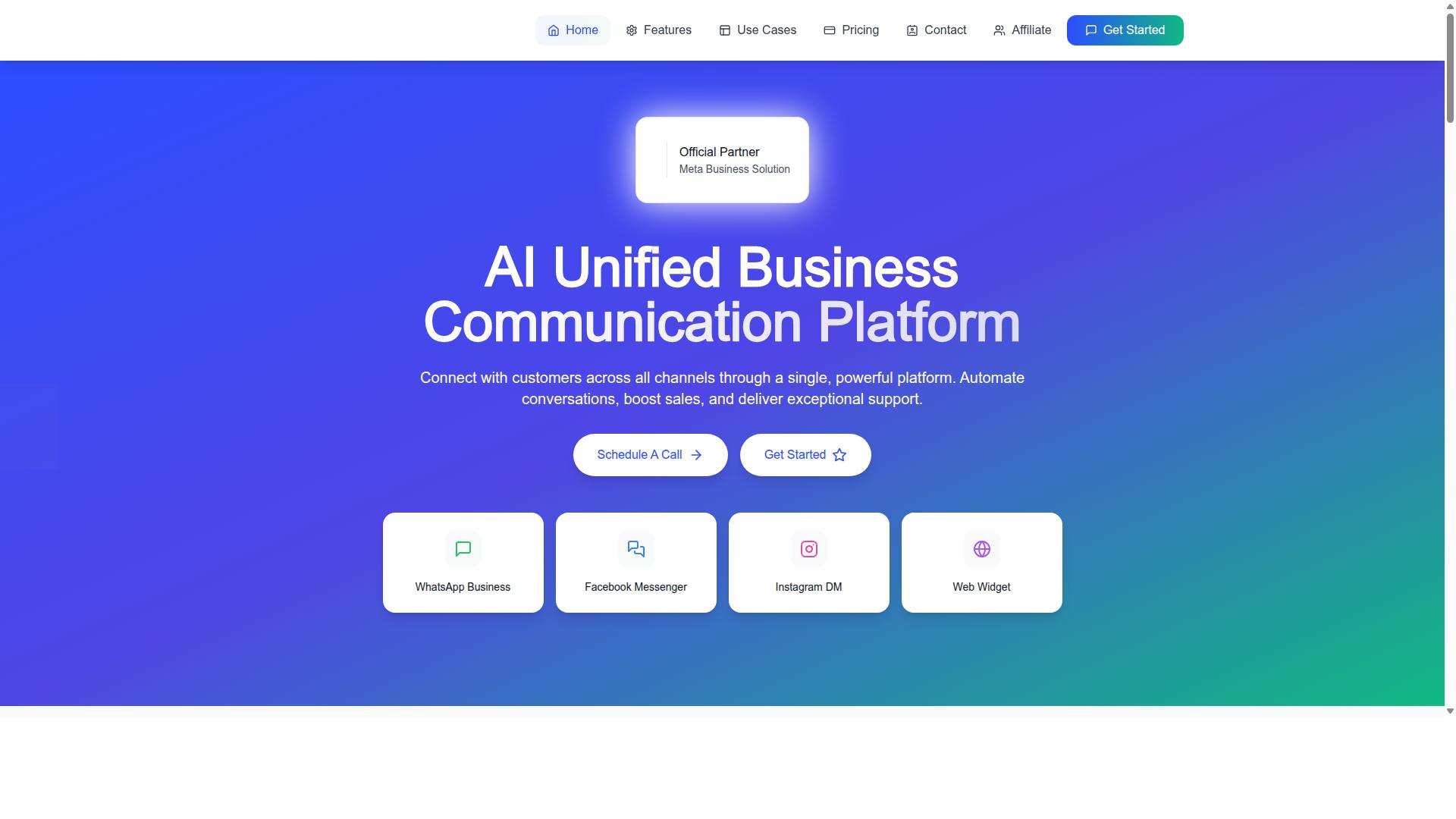
Com.bot is an AI Unified Business Communication Platform that connects WhatsApp Business, Facebook Messenger, Instagram DM, and Web Widget into a single platform, enabling support teams to manage all conversations from one dashboard.
The Unified Team Inbox directly addresses the context switching problem. Instead of jumping between apps, agents see conversations from every connected channel in one place. Team Collaboration with role-based access keeps assignments and visibility organized as the team grows.
The Visual Bot Builder uses a drag-and-drop interface, so no coding is required. Support teams can build smart chatbots for customer support, notifications, and order updates without waiting on engineering time. This pairs with the Automation Builder and its 1000+ integrations, which connect to external systems so workflows move data automatically instead of through copy and paste.
Com.bot also supports Native Payments for WhatsApp transactions and Bulk Messaging, which helps teams handle payment collection and outbound updates inside the same platform. Com.bot is an Official Meta Business Partner, serving 23,000+ active customers and processing 25M+ messages per day.
For teams thinking about channel integration and conversational support at scale, that combination of unified inbox, automation, and native payments covers the routing and workflow gaps that typically slow multi-channel support down.
Pricing and Add-Ons to Factor Into Your Budget
Com.bot offers three pricing tiers, Silver, Gold, and Platinum, with add-ons for additional team members, social channels, and external actions, so you can scale costs with your support operation. All plans include core features such as the unified inbox and bot builder.
| Plan | Price | Best For |
|---|---|---|
| Silver | $149 per quarter | Small teams starting multi-channel support |
| Gold (Recommended) | $349 per quarter | Growing teams that need more capacity |
| Platinum V1 | $2500 per quarter | Larger operations with heavy volume |
Add-ons are priced at $10 per month for an additional team member, social channel, or external actions (per 5000). Bot triggers are also available as an add-on (per 25000), along with an ecom store option. WhatsApp messaging is billed at actual Meta rates with no markup, which keeps channel costs predictable.
For budgeting, look past the base plan. A five-agent team on Silver may only need one or two add-ons. A fifty-agent team will likely need extra team members and social channels, and those $10 monthly add-ons add up across a year.
Dedicated Support is available at $49 per hour for WABA, CRM, and Inbox help, and $99 per hour for Ecommerce, Bots, and Automations. Factor these into your plan if your team lacks in-house specialists. Prices are listed in USD, though the site offers an INR toggle, so verify currency before you commit.
Common Pitfalls and How to Avoid Them
Even well-intentioned support teams fall into traps that undermine their multi-channel efforts. Channel sprawl, data silos, and automation overreach are the three most common.
Each pitfall tends to arrive quietly. A new messaging app gets added because customers asked for it. A CRM gets purchased by a different department. A chatbot gets switched on to deflect volume. Individually, these moves look reasonable. Together, they create a support operation that is harder to manage than the one it replaced.
The consequences compound across the entire customer journey. Resolution times stretch as agents hunt for information across disconnected tools. Customers repeat themselves when context does not follow them between channels, which drags down CSAT scores. Agents absorb the friction directly, and the result is often burnout and turnover.
None of these problems require a total rebuild to fix. Most respond well to deliberate governance, tighter channel integration, and clearer boundaries around what automation should handle. The sections below break down each pitfall and the specific tactics that keep it in check.
Channel Sprawl, Data Silos, and Automation Overreach
Channel sprawl happens when you add every new messaging app without a plan. Suddenly agents are spread thin and customers get inconsistent answers. The fix starts with a quarterly channel audit: review volume, resolution rate, and cost per contact for each channel you support.
Any channel that consistently underperforms should be consolidated or retired. A unified inbox lets a single team manage live chat, email support, and social media support without adding headcount. One queue, one set of standards, far less context switching. Teams that trim their channel count often find that customer satisfaction climbs, because agents get faster and more consistent at the channels that remain.
Data silos are the second trap. Customer history lives in the ticketing system, purchase records sit in the e-commerce platform, and account details stay locked in the CRM. Agents end up asking customers to repeat information they have already shared, which is one of the fastest ways to erode trust.
The remedy is CRM integration and channel integration through APIs, so a single screen shows the full customer journey. Where possible, choose help desk software with native integrations rather than stitching tools together with custom work. A knowledge base that pulls from the same data source keeps self-service portal answers accurate too.
Automation overreach is the third and most damaging pitfall. A chatbot or virtual assistant that loops without an exit frustrates customers more than no automation at all. Set clear escalation triggers: if the bot fails twice, route to a human. Review bot transcripts on a regular schedule to catch dead ends, and always offer a visible "talk to human" option. Automation should shorten the path to resolution, never block it.